
Superbuy Spreadsheet for Beginners: Everything You Need Before Ordering
New to Superbuy? This beginner-friendly Superbuy Spreadsheet explains how to find products, compare sellers, and shop more efficiently from Chinese marketplaces.
7/12/20262 min read
Everything You Need to Know Before Using a Superbuy Spreadsheet
In today’s fast-paced world of cross-border eCommerce, staying organized is the key to smarter shopping. Whether you're sourcing fashion, sneakers, electronics, or niche lifestyle products from China, a Superbuy spreadsheet can completely transform the way you manage your purchases. This guide covers everything you need to know before using one—so you can shop efficiently, compare better, and avoid costly mistakes.
What Is a Superbuy Spreadsheet?
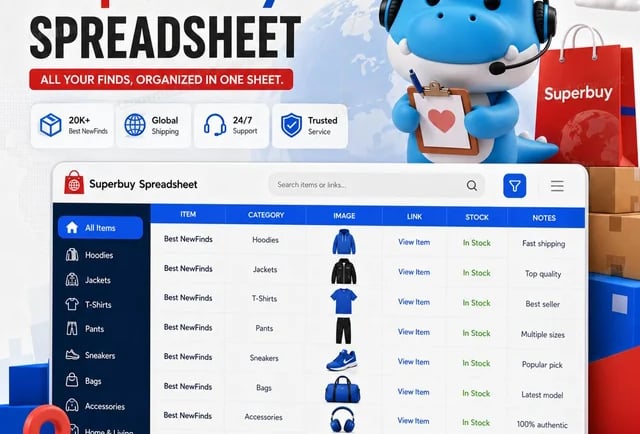
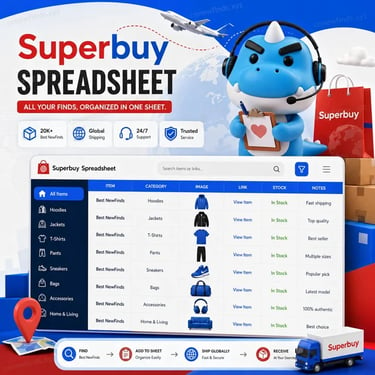
A Superbuy spreadsheet is a structured document—usually created in Google Sheets or Excel—that helps you track, compare, and manage products you plan to buy through Superbuy. Instead of juggling multiple tabs, links, and screenshots, the spreadsheet centralizes everything in one place.
Typical columns include:
Product Name
Item Link
Seller/Store Name
Price (CNY/USD)
Size/Color Options
Shipping Cost
QC (Quality Check) Images
Notes & Status
By organizing these details, you gain a clear overview of your entire shopping list.
Why Use a Superbuy Spreadsheet?
1. Better Organization
When buying from multiple sellers, things can quickly get messy. A spreadsheet keeps every item categorized and easy to access.
2. Smarter Comparisons
You can easily compare prices, shipping fees, and seller ratings side by side—helping you choose the best deal.
3. Budget Control
Tracking costs in real time prevents overspending and helps you stick to your budget.
4. Improved Decision-Making
With all product details visible, you can make informed decisions instead of impulse purchases.
Superbuy Spreadsheet vs Traditional Shopping
FeatureSuperbuy SpreadsheetTraditional MethodProduct OrganizationCentralizedScattered tabsPrice ComparisonEasyTime-consumingBudget TrackingBuilt-inManual/noneEfficiencyHighLowError ReductionStrongWeak
Key Features to Include in Your Spreadsheet
To maximize efficiency, your Superbuy spreadsheet should include:
Product Tracking Columns
Include direct links, item names, and seller details for quick reference.
Pricing Breakdown
Track item price, domestic shipping, international shipping, and total cost.
Quality Control Section
Add links to QC photos provided by Superbuy to evaluate product quality before shipping.
Status Updates
Use labels like:
“Pending”
“Purchased”
“In Warehouse”
“Shipped”
This keeps your workflow transparent and organized.
How to Set Up a Superbuy Spreadsheet
Step 1: Choose a Platform
Google Sheets is recommended for real-time access and easy sharing.
Step 2: Create Categories
Organize items by type, such as:
Sneakers
Clothing
Accessories
Electronics
Step 3: Add Essential Columns
Start with basic fields and expand as needed.
Step 4: Use Color Coding
Highlight important information:
Green = Best deals
Yellow = Under review
Red = Avoid
Step 5: Keep It Updated
Regular updates ensure accuracy and prevent confusion.
Common Mistakes to Avoid
Ignoring Shipping Costs: Many users focus only on item price and forget total cost.
Not Verifying Sellers: Always check reviews and ratings before adding items.
Overloading the Sheet: Keep it clean and structured to maintain usability.
Skipping QC Checks: Never ship items without reviewing QC photos.
Advanced Tips for Power Users
Use Formulas
Automate calculations for total cost and currency conversion.
Add Filters
Quickly sort products by price, category, or status.
Collaborate with Others
Share your spreadsheet with friends or community members to discover better deals.
Build a Personal Database
Over time, your spreadsheet becomes a valuable archive of trusted sellers and successful purchases.
Is a Superbuy Spreadsheet Worth It?
Absolutely. Whether you're a beginner or an experienced shopper, using a Superbuy spreadsheet saves time, reduces errors, and improves your overall shopping experience. It turns chaotic browsing into a structured, strategic process.
Final Thoughts
Before diving into your next haul, take a few minutes to set up a Superbuy spreadsheet. This simple tool can dramatically improve how you shop—giving you better control, clearer insights, and more confidence in every purchase.
If you’re serious about efficient online shopping, a Superbuy spreadsheet isn’t just helpful—it’s essential.